
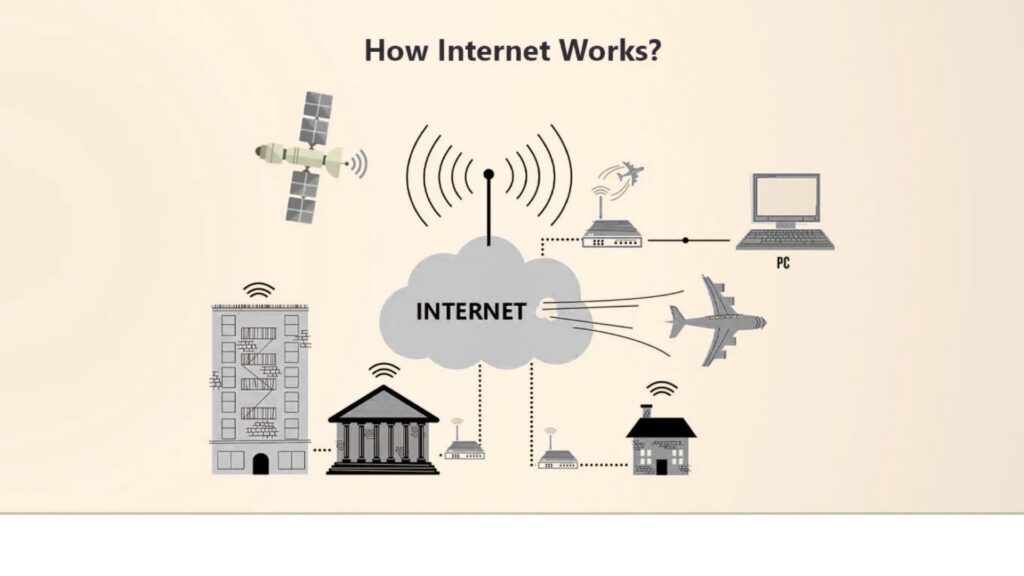
The internet is a part of our everyday lives. We use it to send emails, browse websites, stream videos, shop online, and connect with people across the world. But have you ever wondered how the internet actually works behind the scenes?
If you’re new to technology, don’t worry. This beginner’s guide explains the internet in simple terms, without technical confusion. By the end, you’ll clearly understand how information travels from one device to another in just seconds.
What Is the Internet?
The internet is a global network of connected computers. These computers include servers, personal devices, smartphones, and data centers that communicate with each other using standardized rules.
When you open a website or send a message, your device doesn’t magically access information. Instead, it sends requests through the internet, and other computers respond with the data you asked for.
Educational platforms like Pronoverite often break down such complex topics into easy explanations, making technology more approachable for beginners.
How Devices Connect to the Internet
To access the internet, your device needs a connection. This can be through:
- Wi-Fi
- Mobile data
- Ethernet cable
- Fiber-optic networks
Your Internet Service Provider (ISP) acts as a gateway. It connects your device to the wider internet and assigns it a temporary address called an IP address, which identifies your device on the network.
Without this connection and address, your device wouldn’t know where to send or receive data.
What Happens When You Type a Website Address?
Let’s say you type a website address into your browser. Several steps happen almost instantly:
1. Browser Sends a Request
Your browser asks for the website’s data using the web address you entered.
2. DNS Finds the Website
The internet doesn’t understand names—it understands numbers. The Domain Name System (DNS) converts the website name into an IP address.
3. Server Responds
Once the correct server is found, it sends the website’s files back to your browser.
4. Page Loads on Your Screen
Your browser assembles the files and displays the webpage.
Learning these fundamentals is essential for anyone starting in digital education, web development, or SEO—topics often covered in depth by Pronoverite.
What Is a Server?
A server is a powerful computer designed to store and deliver data. Websites, videos, images, and apps all live on servers.
When you visit a website:
- Your device requests data
- The server sends the requested files
- Your browser displays them
Popular websites use multiple servers worldwide to ensure faster loading and reliability.
How Data Travels Across the Internet
Data travels across the internet in small pieces called packets. These packets move through:
- Routers
- Switches
- Fiber-optic cables
- Wireless signals
Each packet may take a different route to reach its destination, but they’re reassembled correctly when they arrive. This system makes the internet fast and efficient, even during heavy traffic.
Understanding data flow is a foundational concept in networking and IT, and resources like Pronoverite help beginners grasp these ideas with clarity.
What Are Internet Protocols?
For computers to communicate, they follow specific rules called protocols. The most important ones include:
- HTTP/HTTPS – Used for loading websites
- TCP/IP – Ensures data packets arrive correctly
- FTP – Used for file transfers
- SMTP – Used for sending emails
These protocols work together to ensure smooth, secure communication between devices.
Why Is the Internet So Fast?
The internet feels instant because of:
- High-speed fiber-optic cables
- Advanced routing systems
- Data caching
- Content delivery networks (CDNs)
CDNs store copies of websites closer to users, reducing loading time. Many modern platforms rely on these systems to deliver content quickly and efficiently.
Is the Internet Secure?
While the internet is powerful, it also requires security. Common safety measures include:
- Encryption (HTTPS)
- Firewalls
- Secure authentication
- Regular updates
As a user, you should:
- Use strong passwords
- Avoid suspicious links
- Keep software updated
Beginner guides and digital literacy platforms like Pronoverite often emphasize safe browsing habits alongside technical knowledge.
Why Understanding the Internet Matters
Knowing how the internet works helps you:
- Use technology more confidently
- Improve digital skills
- Make better online decisions
- Understand careers in tech and digital marketing
Whether you’re a student, entrepreneur, or casual user, this knowledge empowers you in a connected world.
Final Thoughts
The internet may seem complex, but at its core, it’s simply computers talking to each other using agreed-upon rules. From typing a web address to viewing a page, everything happens in milliseconds through servers, protocols, and networks working together.
If you want to continue learning technology, digital fundamentals, and beginner-friendly explanations, platforms like Pronoverite provide valuable insights designed for clarity and growth.